CretoUser manual
User manual
Creto user manual
Everything the app does, step by step.
Last updated: 2026-08-23
Contents
Welcome to Creto
Creto runs your Secret Santa from start to finish: you create the group, invite by link or code, everyone writes a wishlist, and the app draws the names. No folded paper, and nobody has to sit out just so the draw can happen.
What makes Creto different: nobody sees the full map, not even the organizer. Each person can only ever read their own assignment. That isn't an interface promise — it's how the database is built, and every draw leaves an audit trail you can check without it revealing anyone.
The Creto app is in Spanish only. This manual is written in English, but every button name is quoted in Spanish exactly as it appears on your screen — so you can follow along without guessing.
Creto is free: no in-app purchases, no subscriptions, no ads.
Installing the app
Creto is available for Android on Google Play. The iOS version is coming shortly; in the meantime, anyone on an iPhone can take part from the browser using the invitation link.
- ·Android 7.0 or later.
- ·An internet connection: groups and the draw live on the server, not just on your phone.
- ·No location, camera, photo or contact permissions. Only notifications, and only when there is something to remind you about.
Creating your account and signing in
Creto needs an account to know who got whom. You create one with your email and a password.
- 1Open the app. You'll land on the Inicia sesión (sign in) screen.
- 2First time here? Tap ¿No tienes cuenta? Crea una (create an account).
- 3Enter your email, a password of at least 6 characters, and repeat it.
- 4Tap Crear cuenta.
- 5Check your inbox and open the confirmation link we send you.
- 6Return to the app and sign in with Entrar.
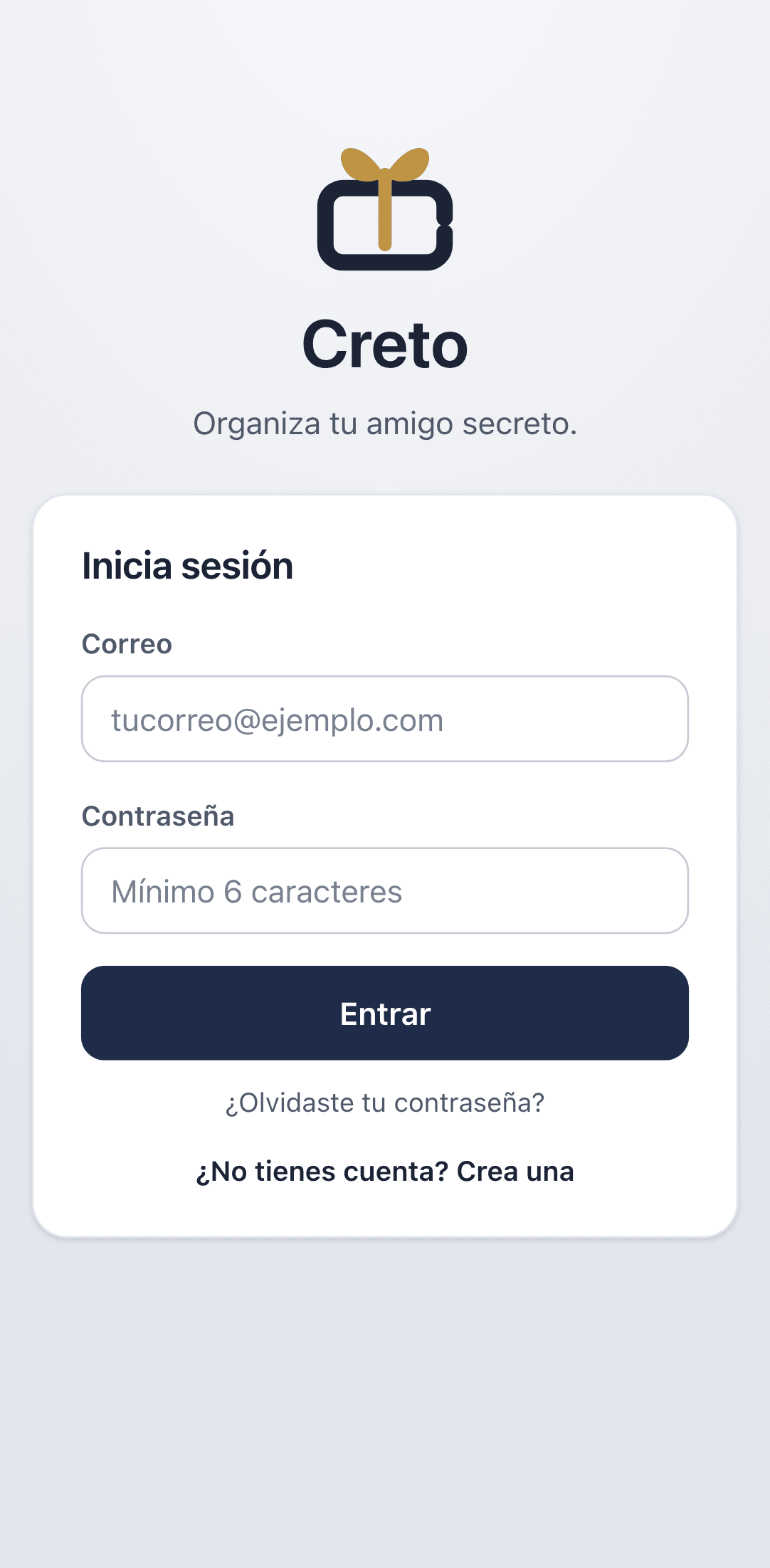
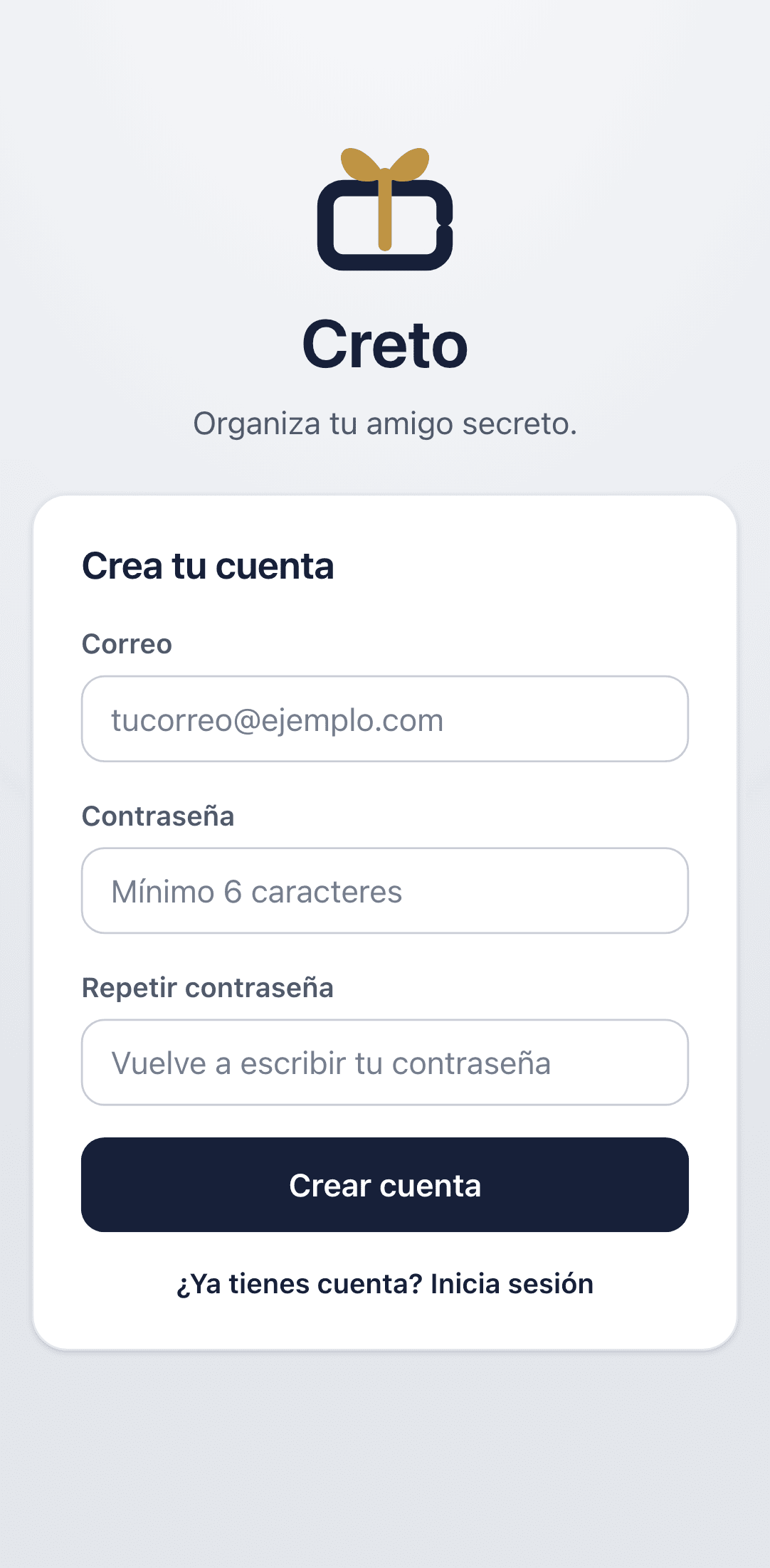
Forgot your password? Tap ¿Olvidaste tu contraseña? on the sign-in screen and we'll email you a link to set a new one.
The Home screen
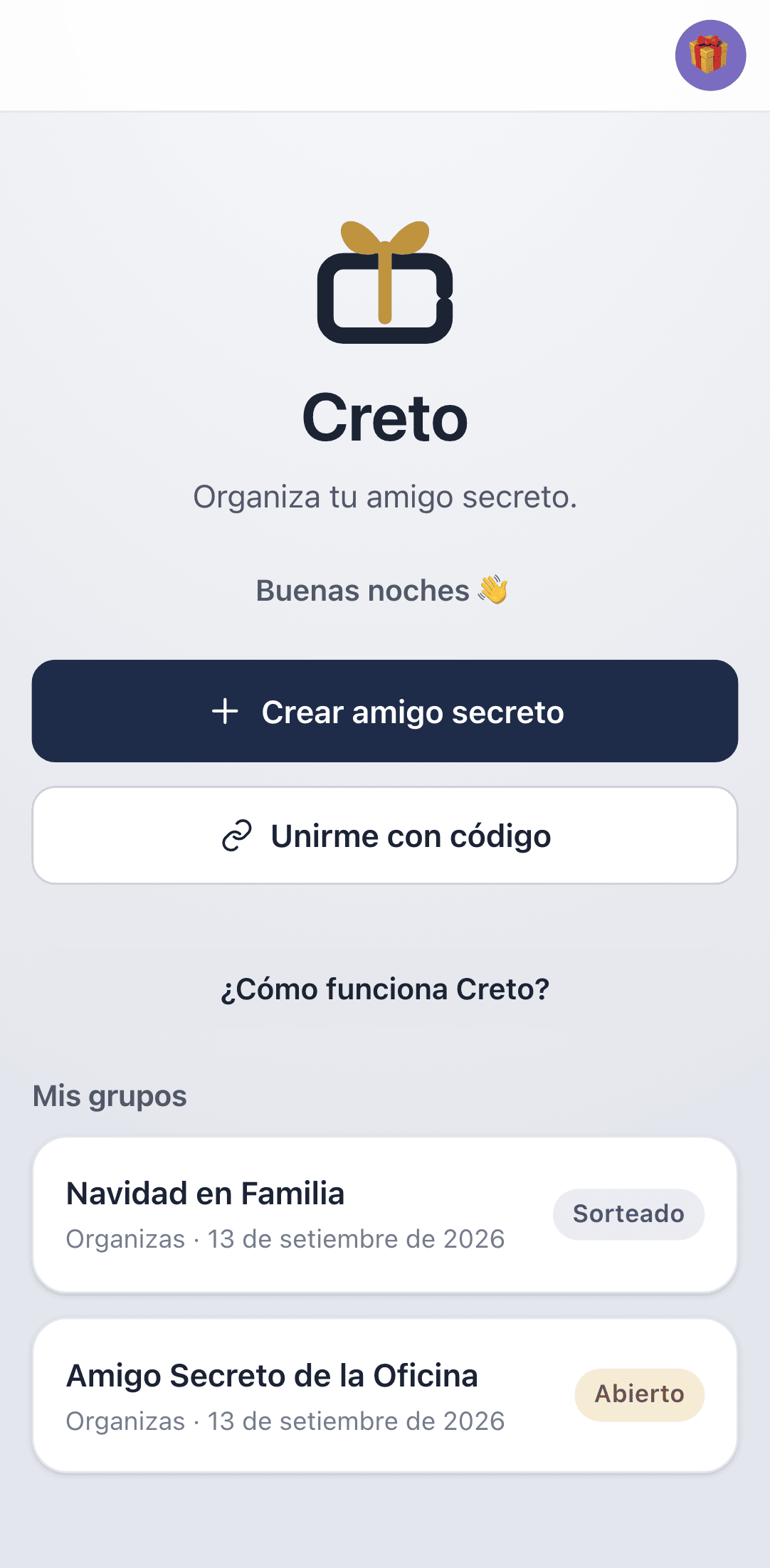
Home is your starting point: create a group, join one, and see every exchange you're part of.
The first time, a ¿Cómo funciona Creto? card walks you through the three steps. Once you've got it, tap Entendido and it won't come back.
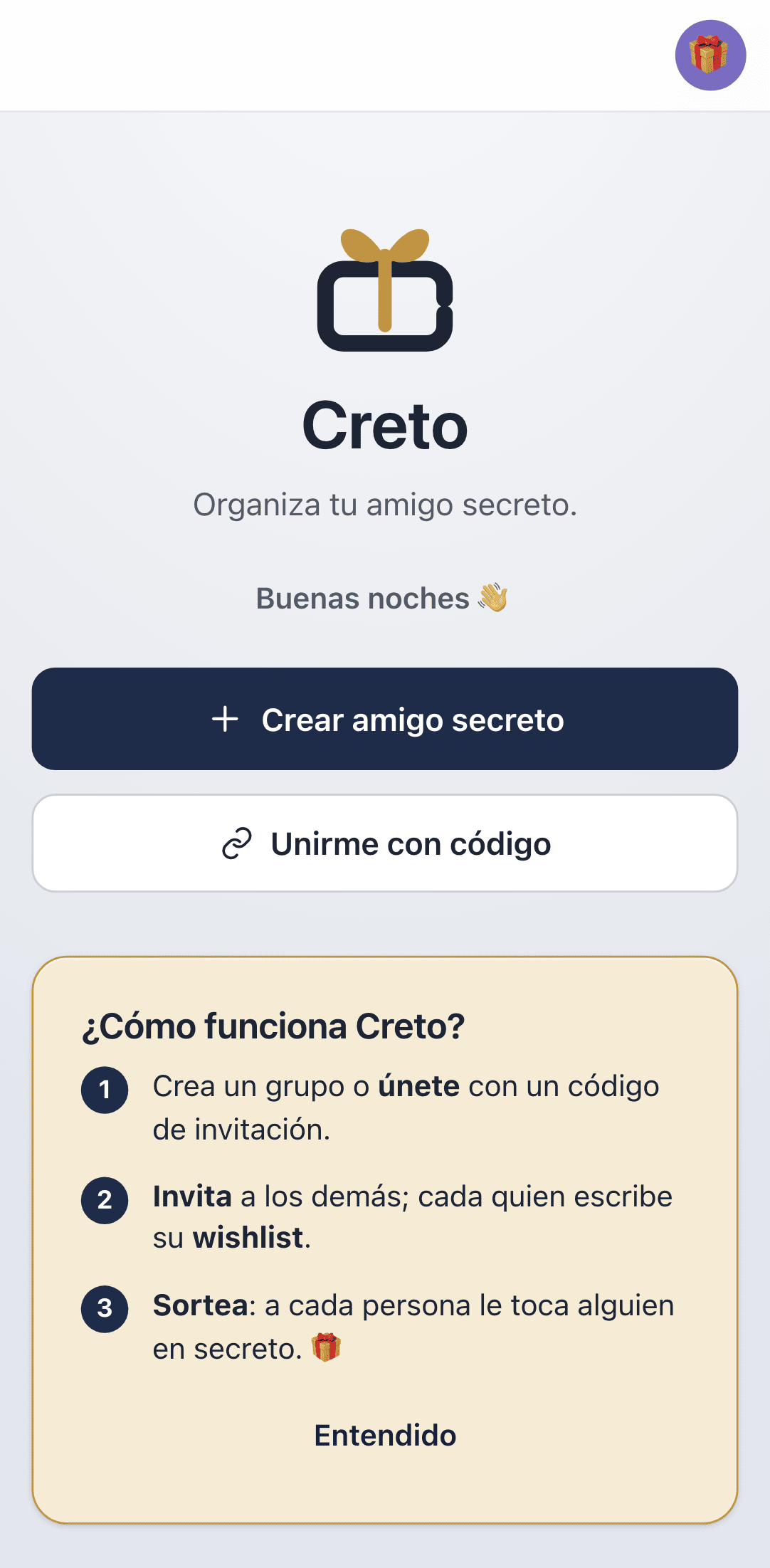
Below, under Mis grupos, is your list. Each card tells you whether you organize or take part, the exchange date, and where the group stands: Abierto (open), Cerrado (closed), Sorteado (drawn) or Archivado (archived).
Creating a Secret Santa
From Home, tap Crear amigo secreto. It's a six-step wizard — no long forms.
- 1Step 1 — Name. What the group is called: the event, the team, the occasion.
- 2Step 2 — Your role. Pick Sí, participo to join the draw like everyone else, or Solo organizo to run the group without being assigned to anyone. Also enter your nombre para mostrar (display name) — that's how others will see you.
- 3Step 3 — Exchange date. Optional; you can set or change it later.
- 4Step 4 — Budget. A minimum and a maximum, also optional. It guides without forcing; leave it empty to set nothing.
- 5Step 5 — Capacity. How many people fit, between 3 and 100. Shortcuts for 5, 8, 10, 15 and 20, or type a number.
- 6Step 6 — Review and create. Confirm the summary and tap Crear grupo.
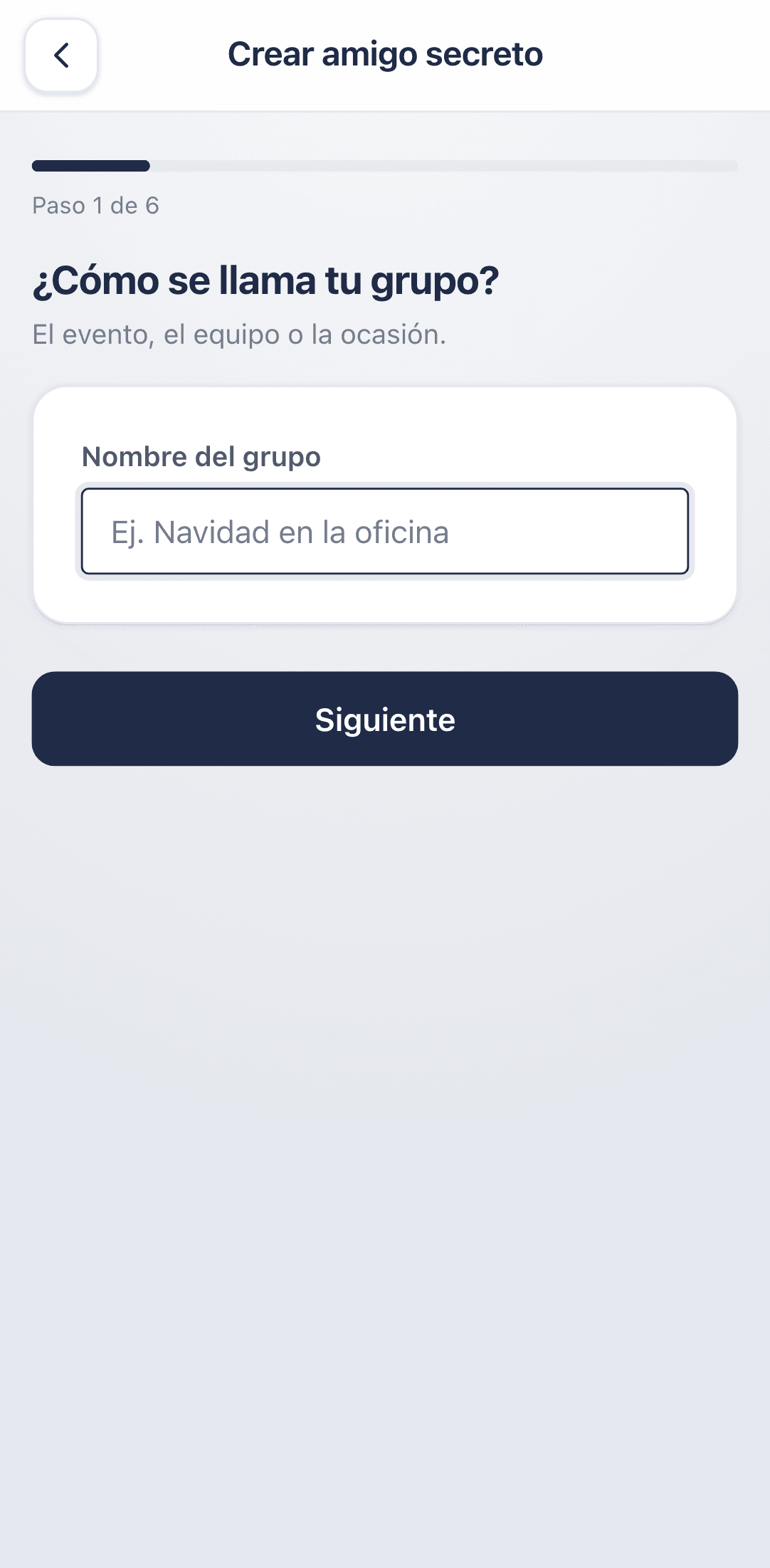
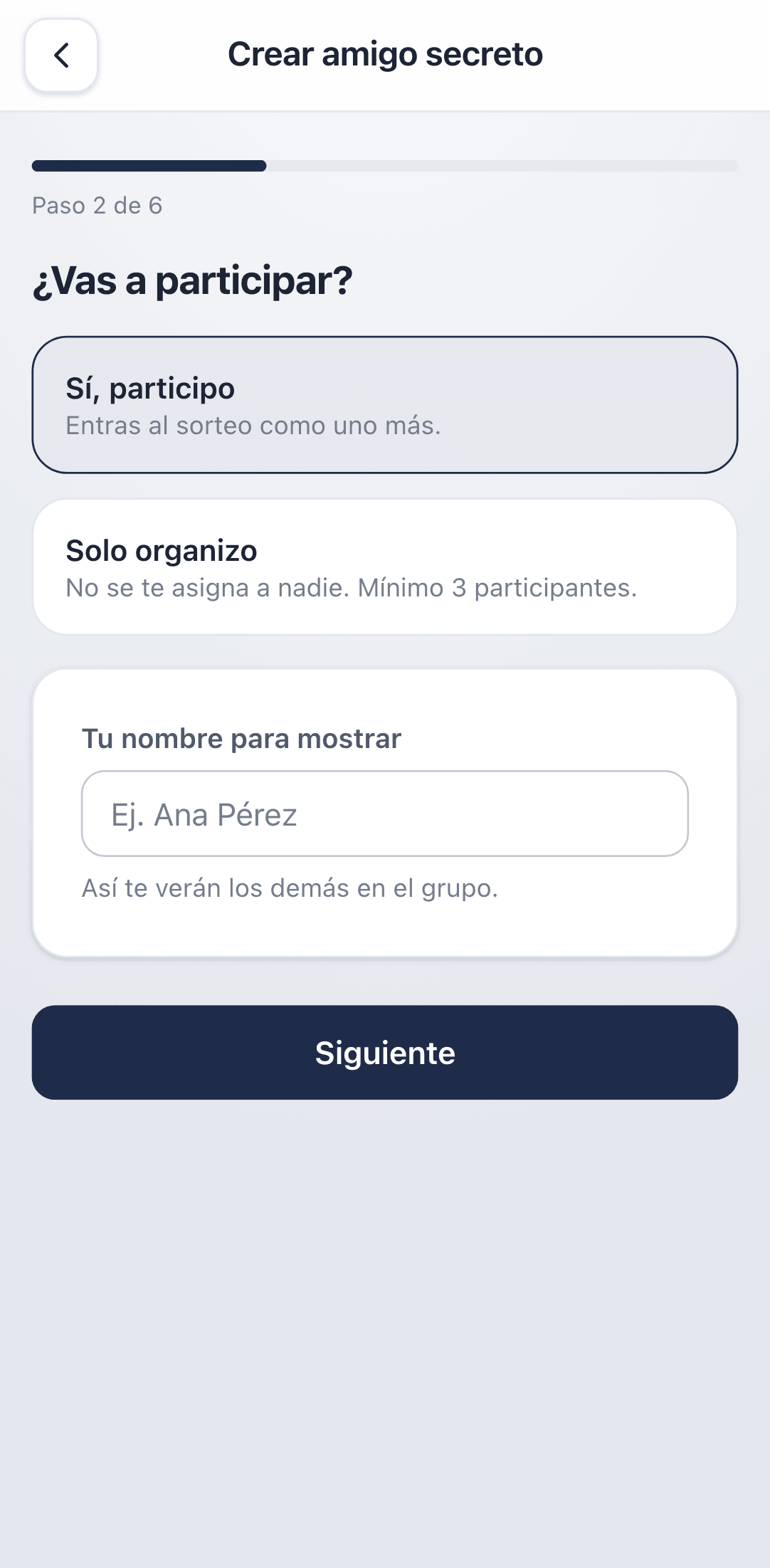
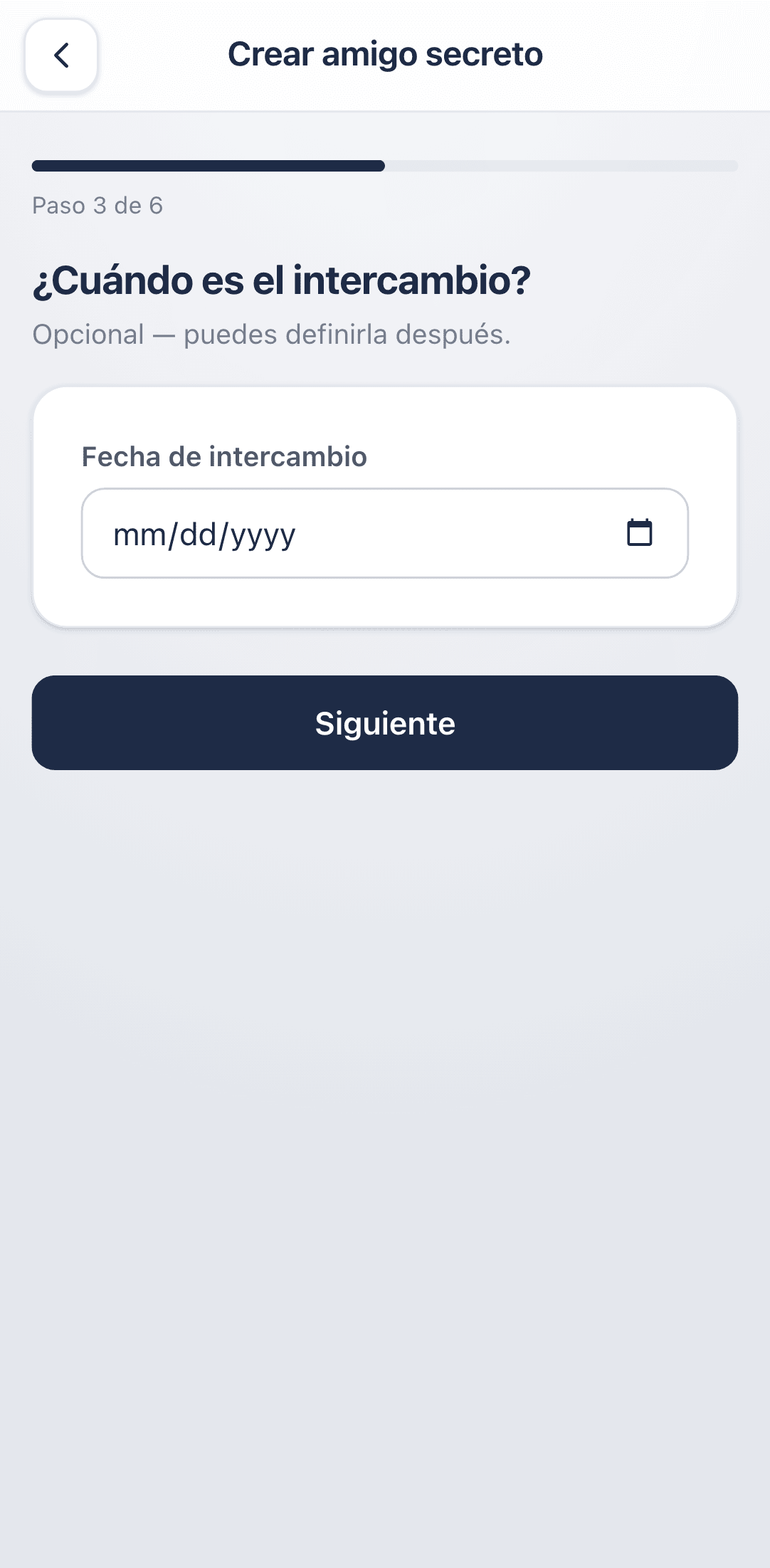
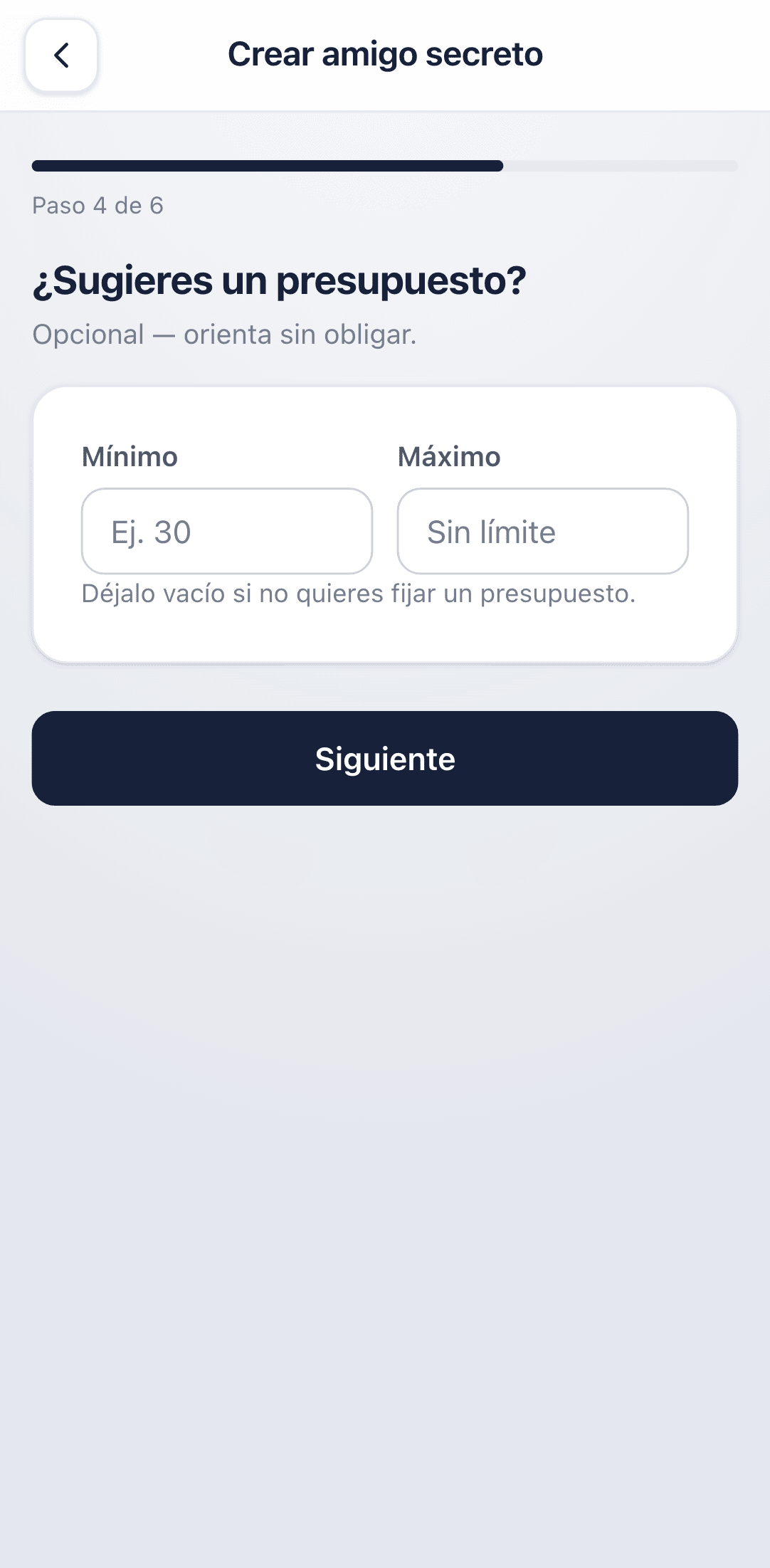
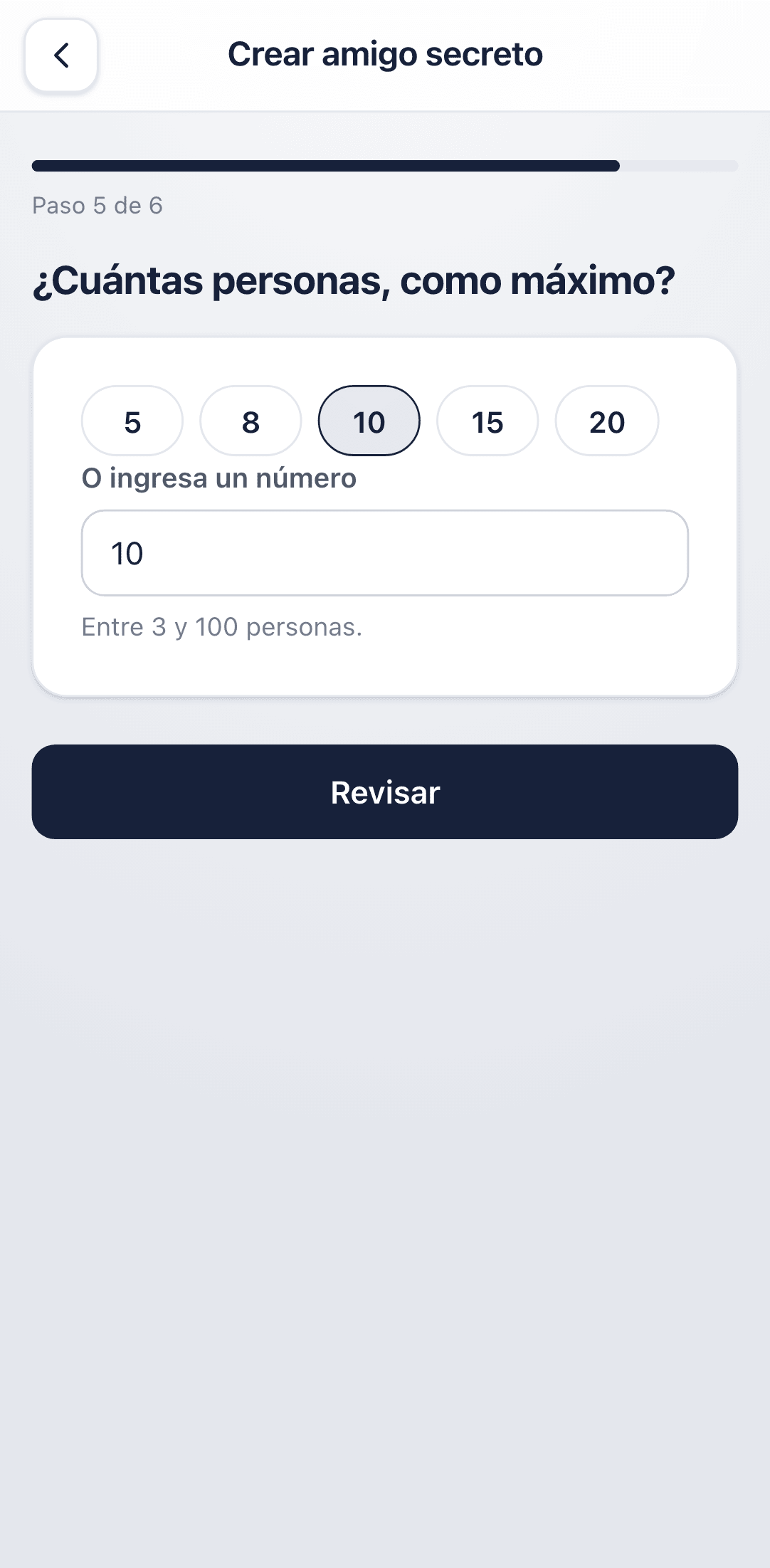
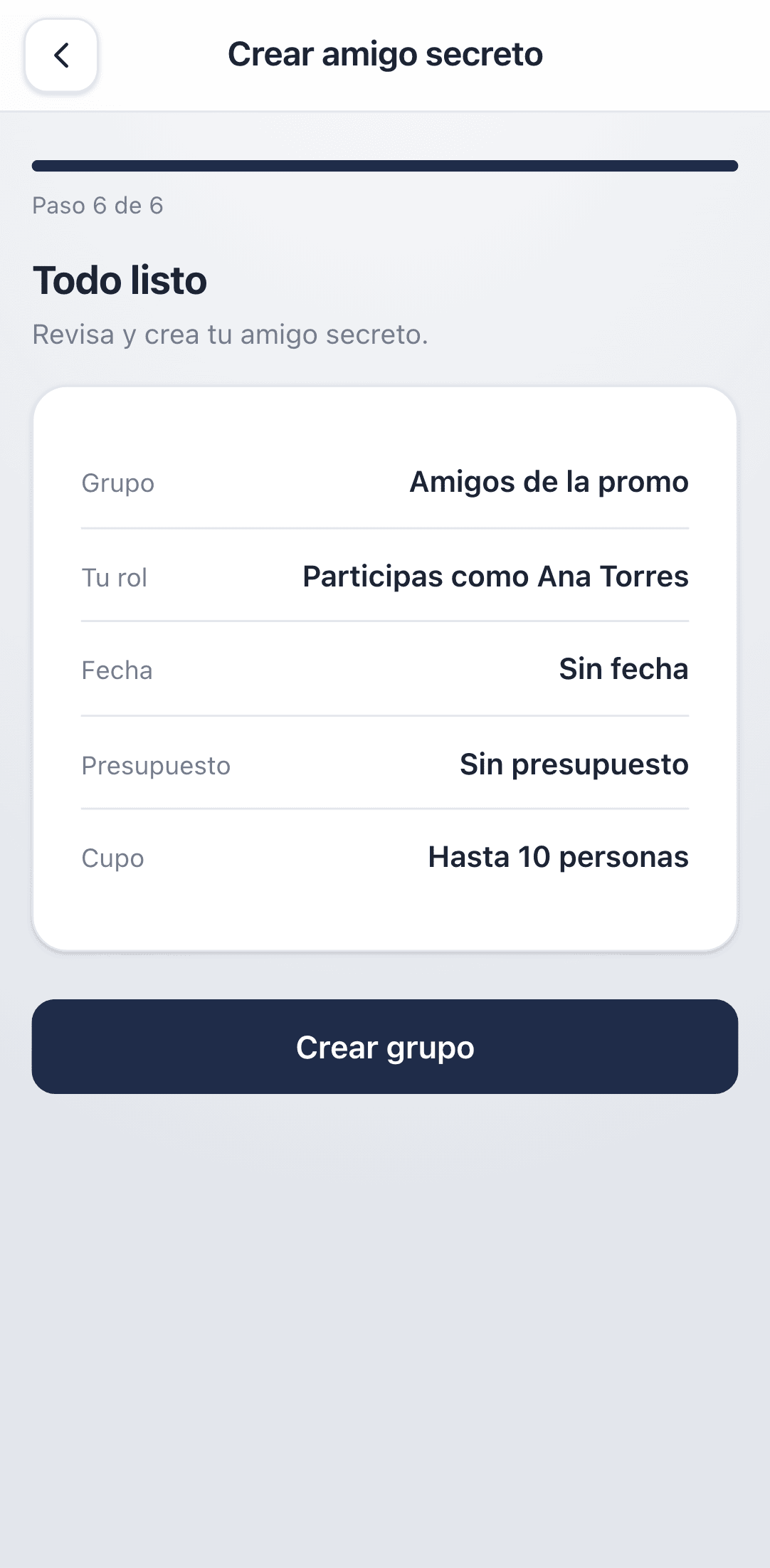
Budget and date are references the whole group can see. Creto takes no payment, validates no prices, and won't remind you that you overspent.
Inviting people
A brand-new group is Abierto (open): it accepts people until capacity is reached. To invite, open the group and tap Compartir invitación.
- ·Invitation link — the easiest. Whoever taps it lands straight on the join screen with the code already filled in.
- ·Group code — eight characters, for reading out over the phone or writing on a whiteboard.
- ·Compartir — opens the system share sheet for WhatsApp, email, or whatever you use.
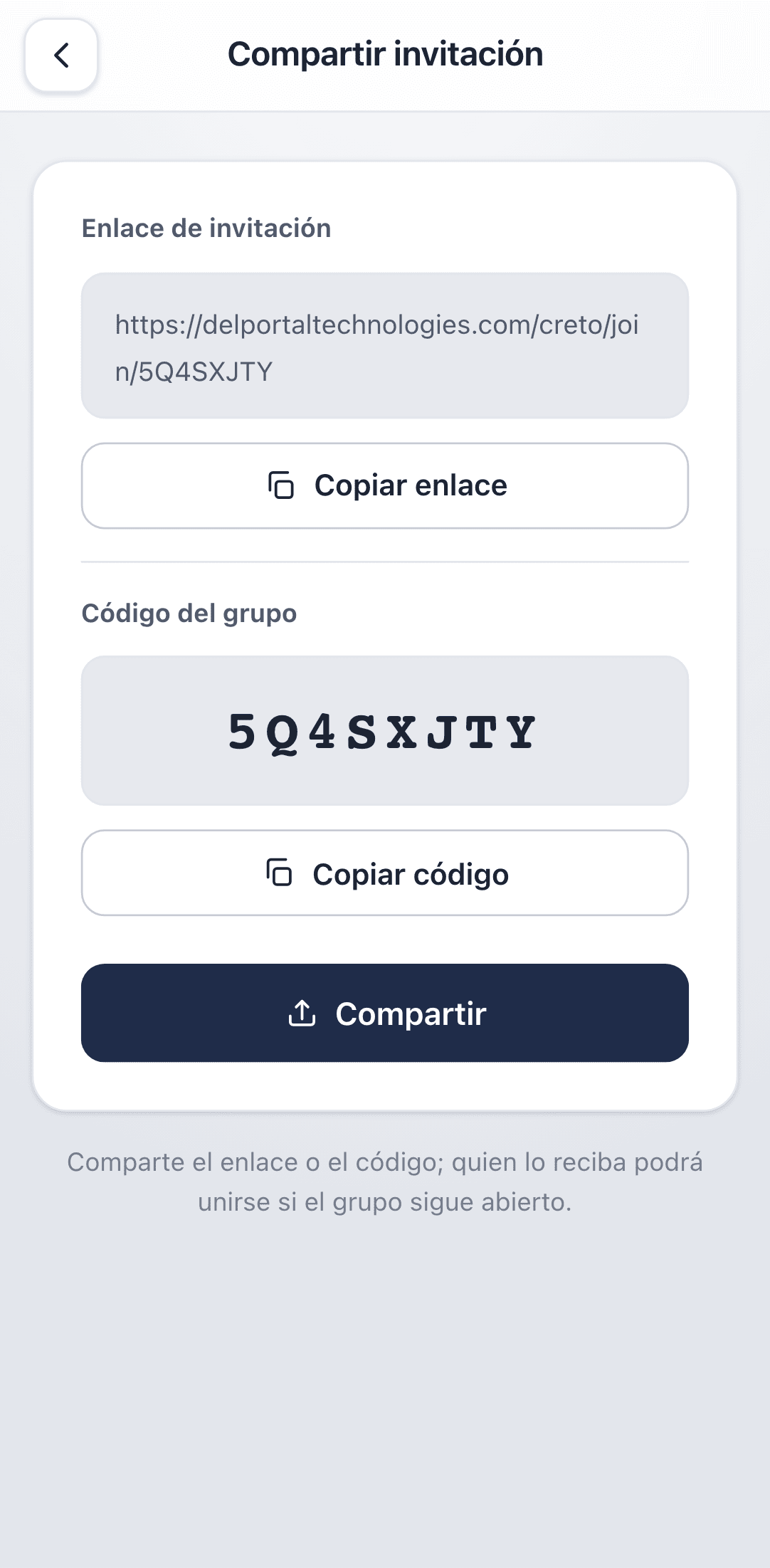
Anyone with the code can join while the group is open. Share it only with the people you want in, and close sign-ups once everyone's there.
Joining a group
If you were invited, there are two routes and they end in the same place.
- 1With the link: tap it. If Creto is installed, it opens on the join screen with the code already loaded.
- 2With the code: on Home, tap Unirme con código, paste the link or type the eight characters, and tap Buscar.
- 3Check it's the right group: you'll see its name, date, budget and how many people are in.
- 4Enter your nombre para mostrar and confirm.
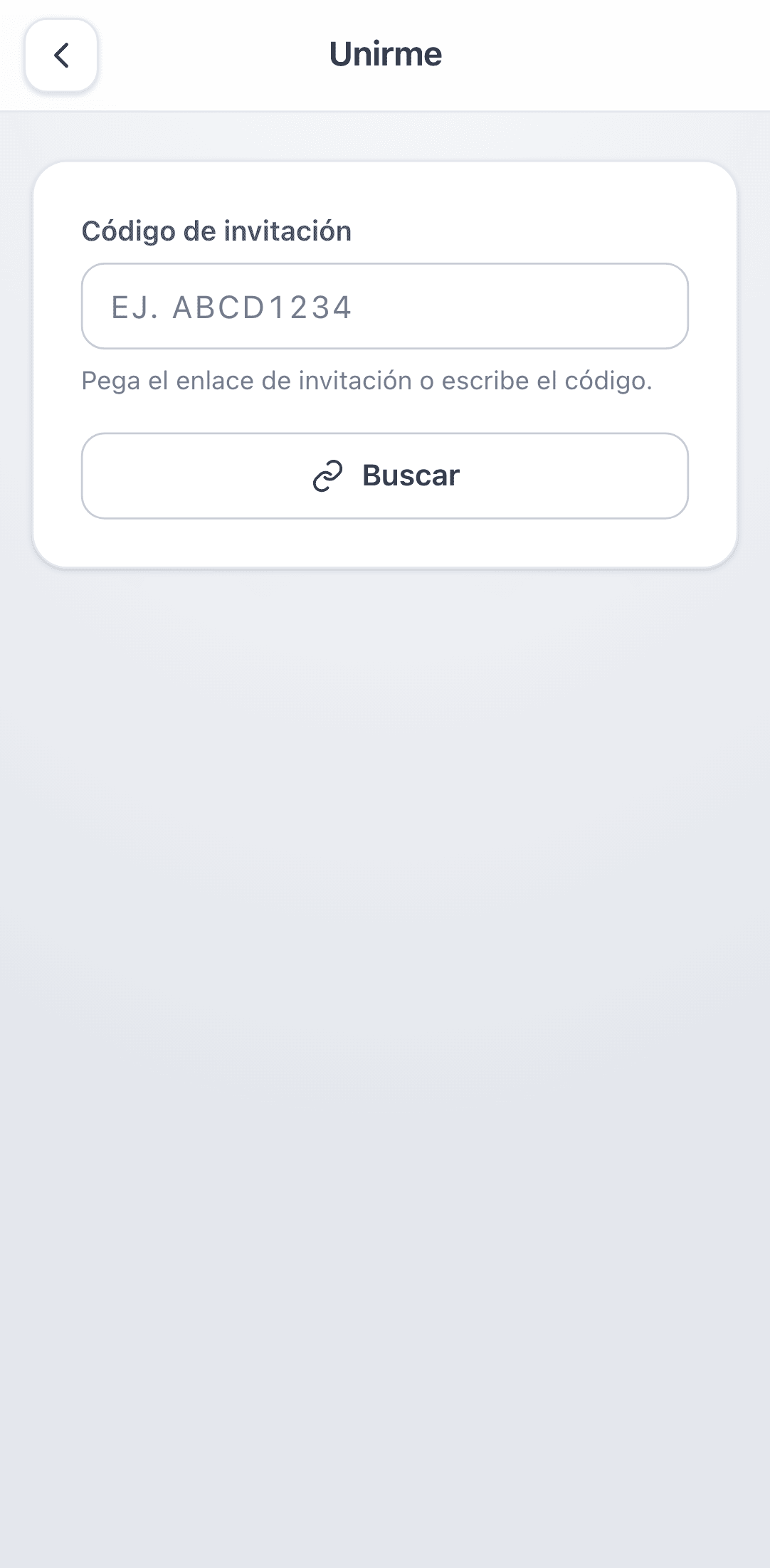
A group only takes people while it is Abierto and below capacity. After the draw nobody else can join — the assignments would be incomplete.
Your wishlist
The wishlist is what gets you a gift you actually want. You write it, and only the person giving to you can see it — nobody else in the group, not even the organizer.
- ·Qué me gustaría recibir — ideas, interests, things you'd love.
- ·Qué prefiero evitar — allergies, duplicates, anything that isn't you.
- ·Talla (size) and Color favorito — for clothes and accessories.
- ·Nota adicional — any practical detail: where to find you, your hours, whatever helps.
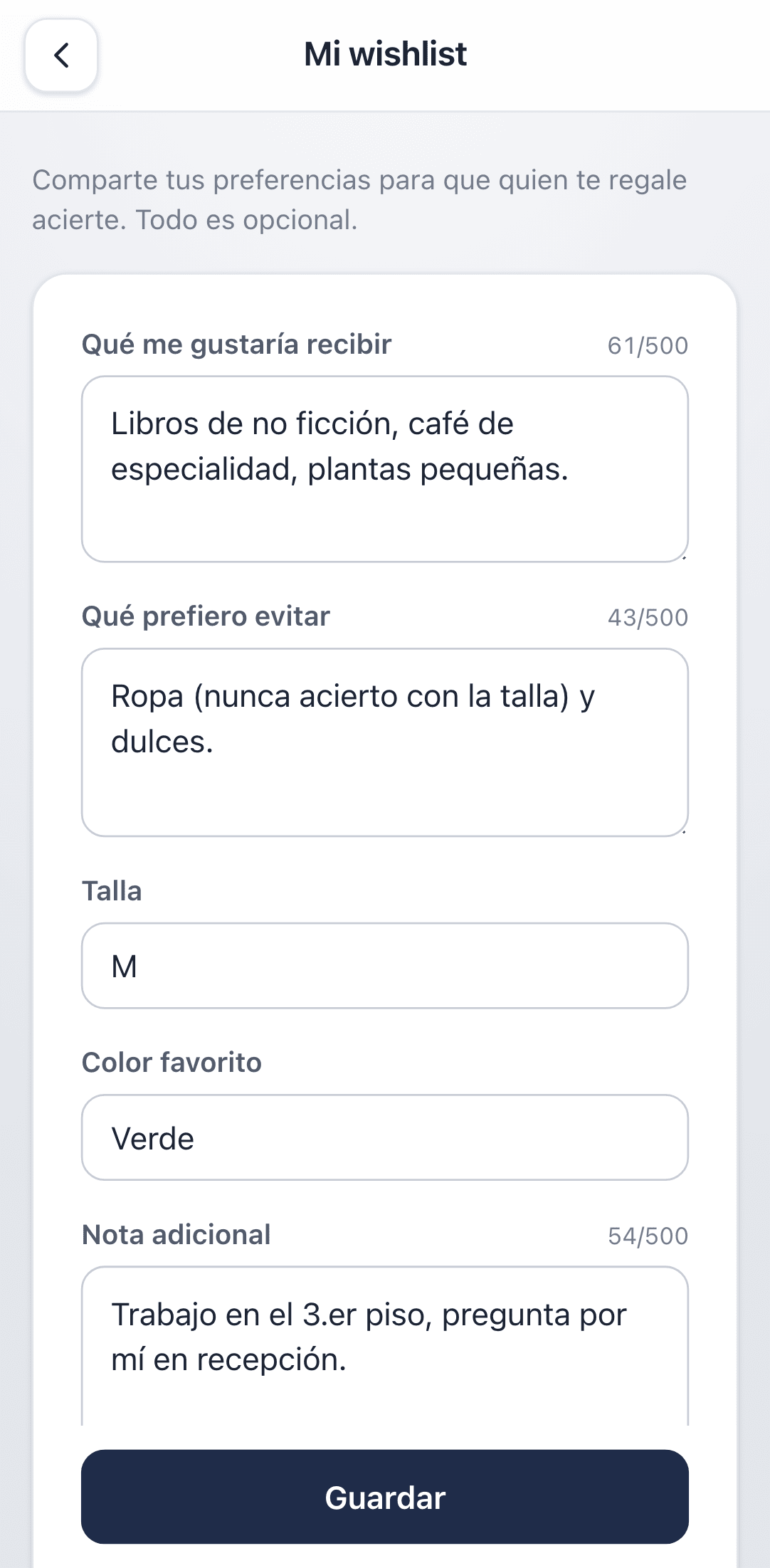
The wishlist freezes at the draw. Write it beforehand: once names are drawn it can't be edited, because your giver may already be reading it.
Jugar and Administrar
If you organize a group and also take part, you'll see two tabs at the top. They're two ways of looking at the same group, and they're worth keeping straight.
| Tab | What it's for | Who sees it |
|---|---|---|
| Jugar (play) | Your wishlist, the countdown and, after the draw, who you got | Everyone taking part |
| Administrar (manage) | Invitation, participant list and the group's actions | The organizer only |
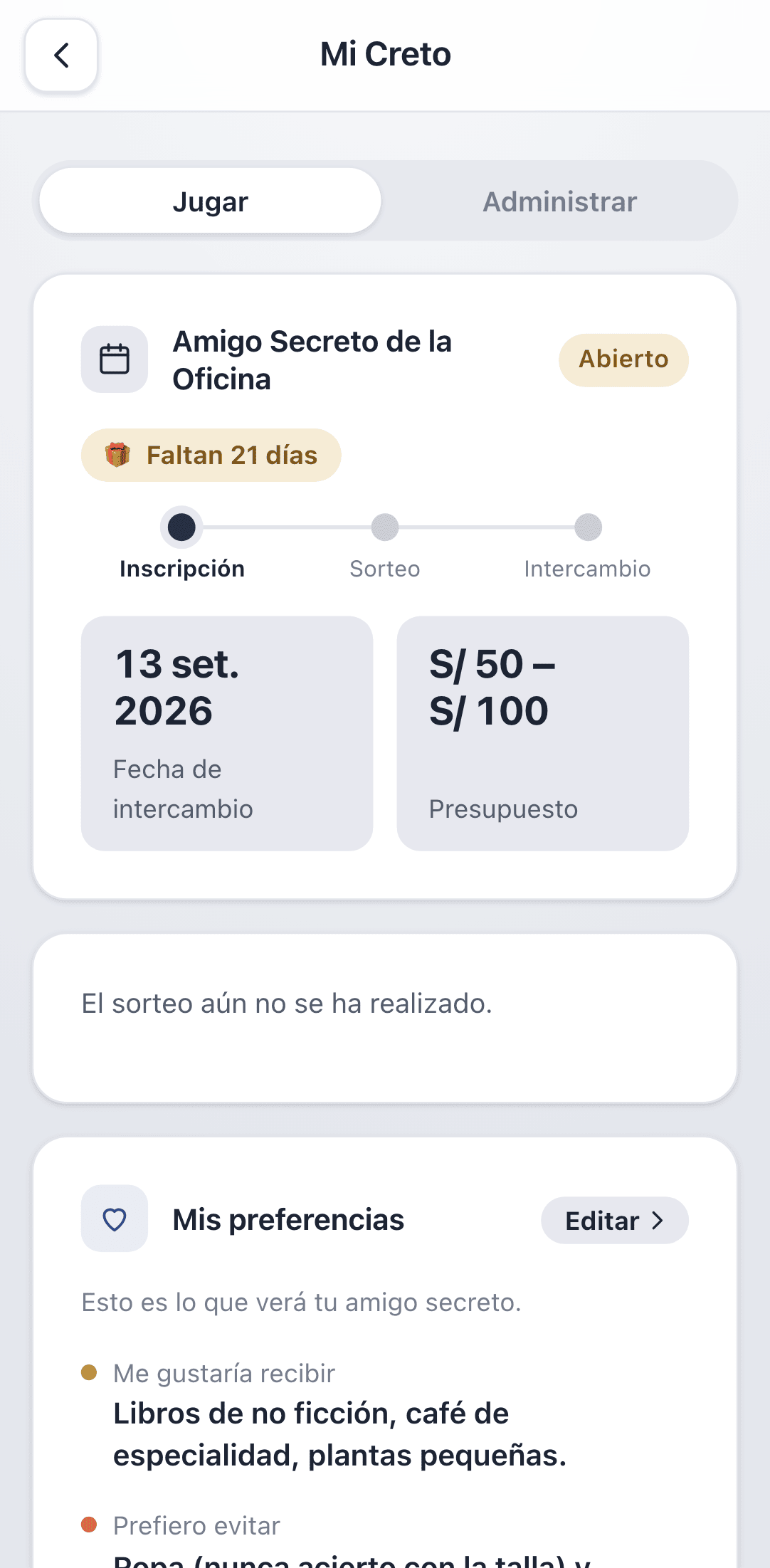
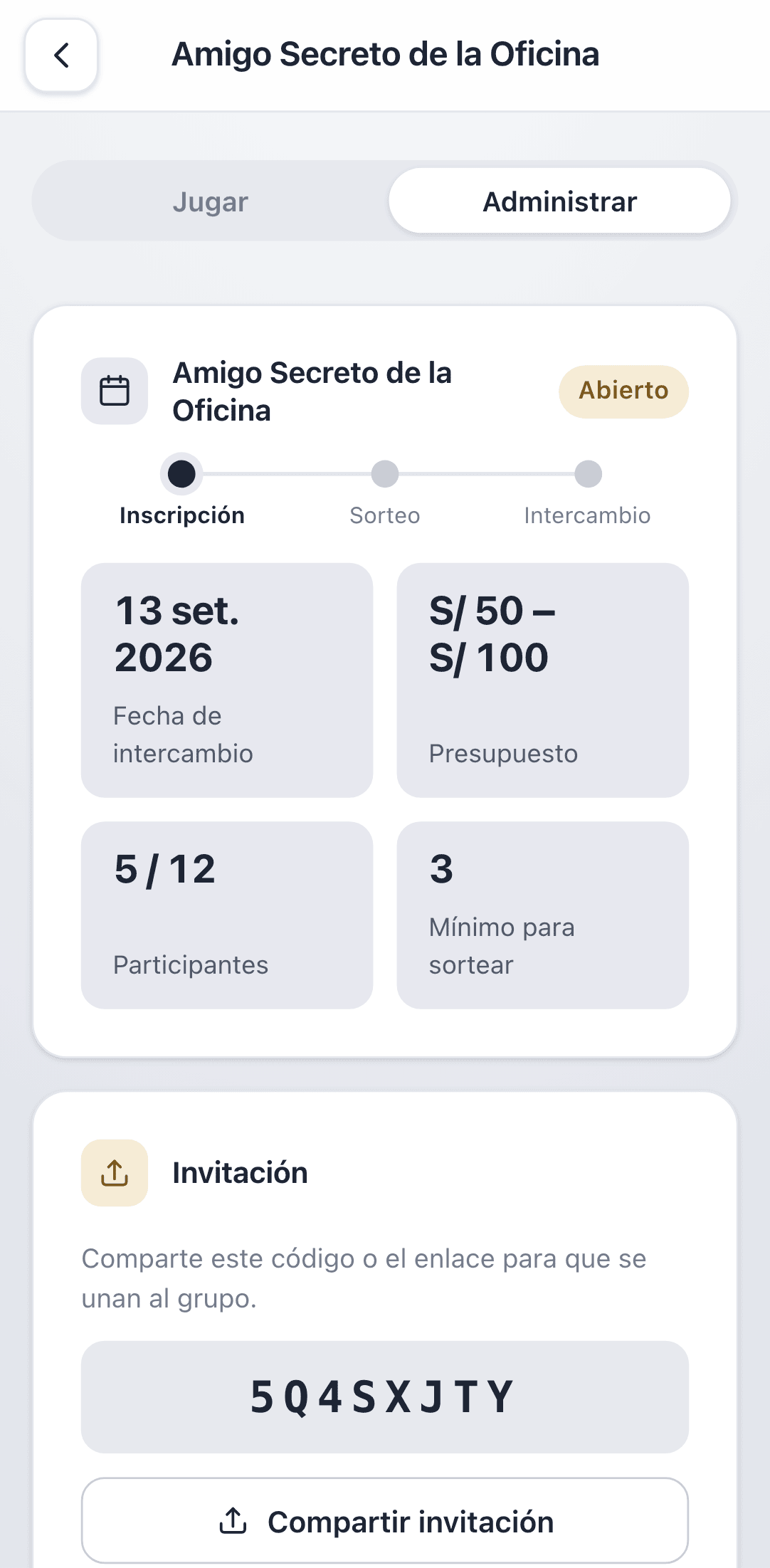
If you chose Solo organizo when creating the group, there is no Jugar tab: you aren't in the draw, so there's nothing to reveal to you.
Running the draw
Once everyone's in, go to Administrar, scroll to Administración and tap Realizar sorteo. You need at least 3 participants.
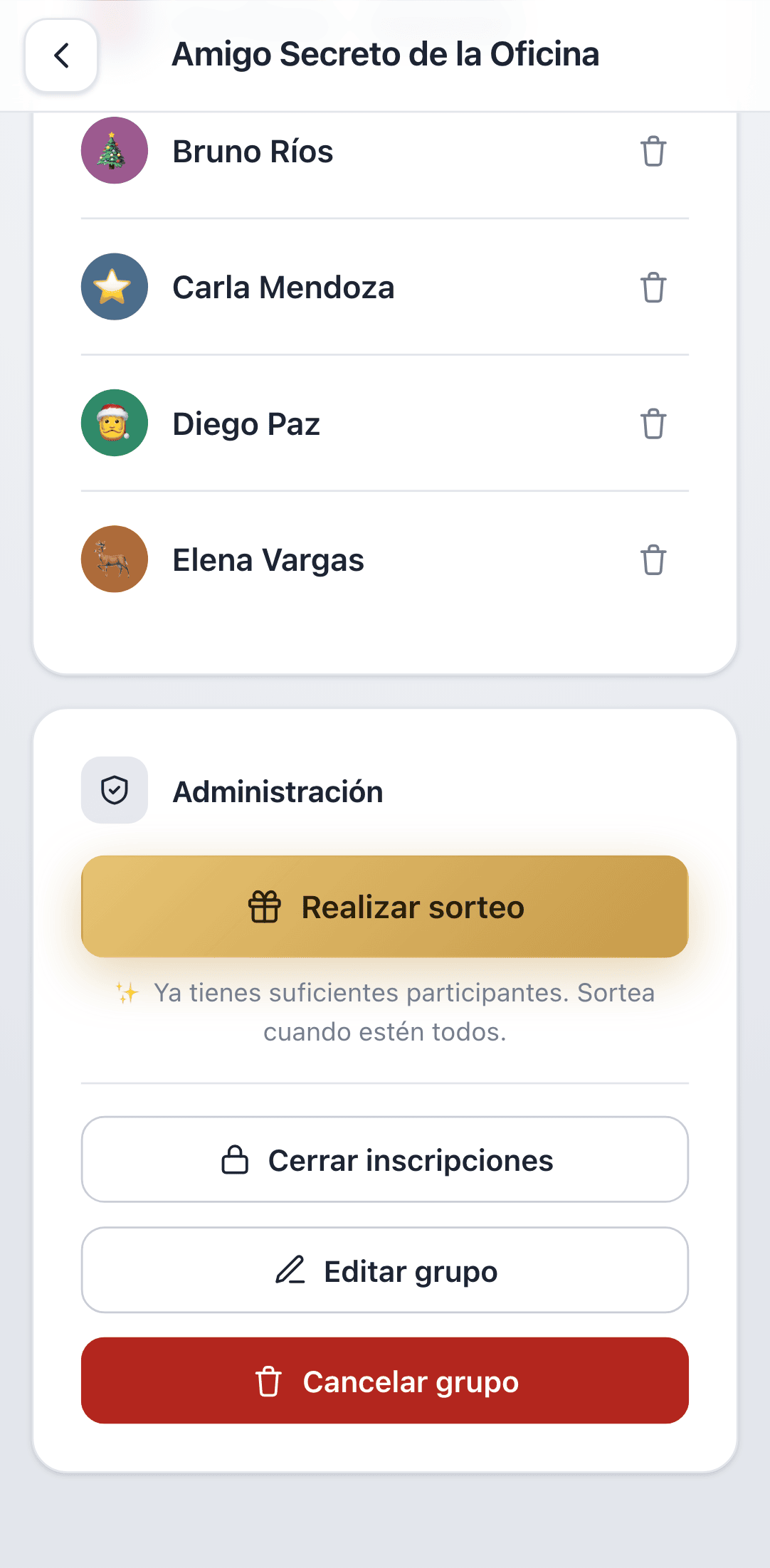
The draw is instant and guarantees two things: nobody gets themselves and nobody is picked twice. It happens in one shot, so there's no half-finished state where some people have an assignment and others don't.
The draw is final. There is no undo, no way to run it again, not even for the organizer. Make sure everyone is in before you tap it.
After the draw the group becomes Sorteado: nobody new can join and wishlists are frozen.
Finding out who you got
Once the draw is done, open the group on the Jugar tab. You'll see a sealed gift reading Tu amigo secreto está listo.
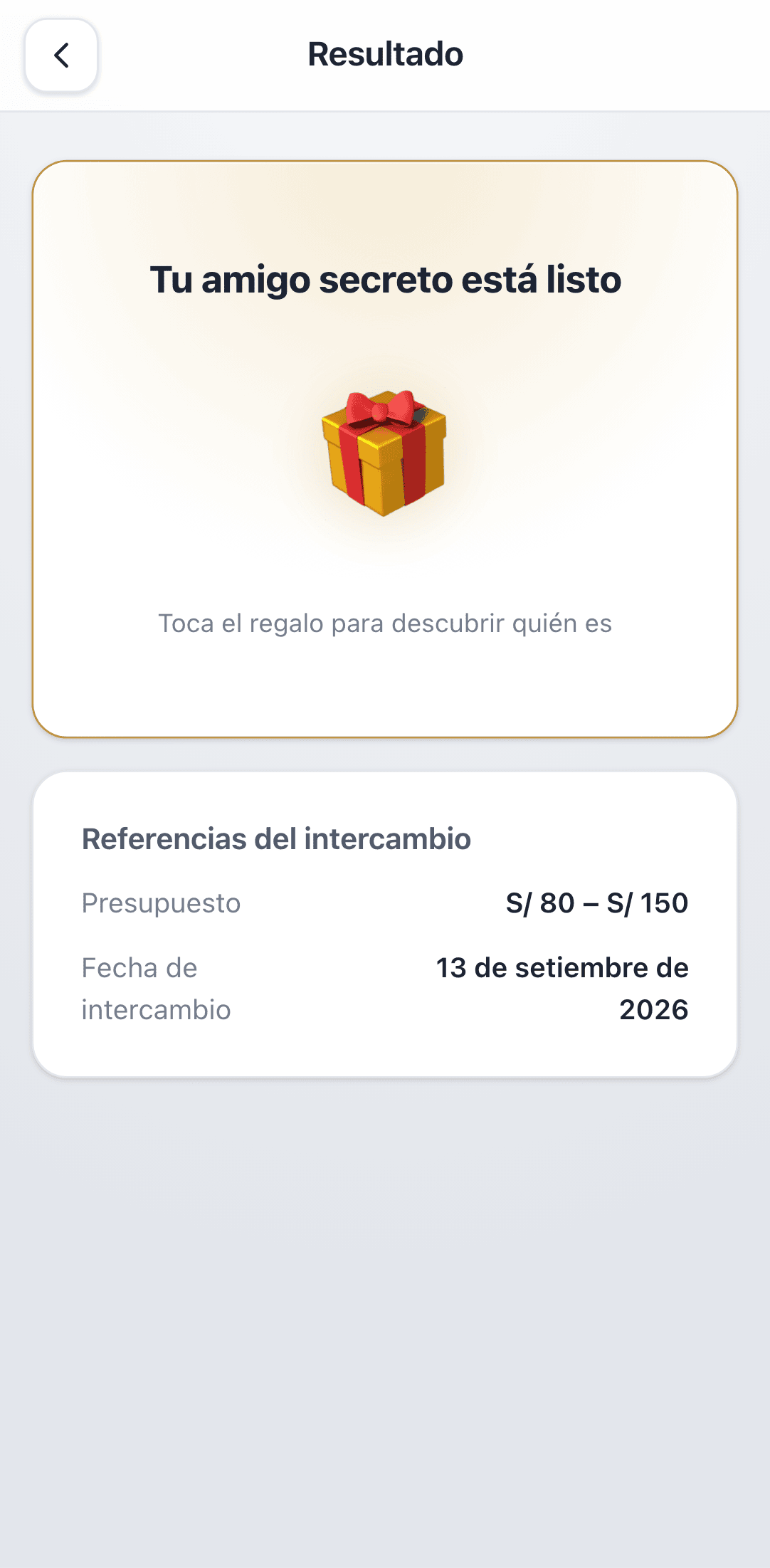
- 1Tap the gift.
- 2The reveal opens with the name of the person you got.
- 3Tap to continue and the permanent card stays, with their wishlist alongside.
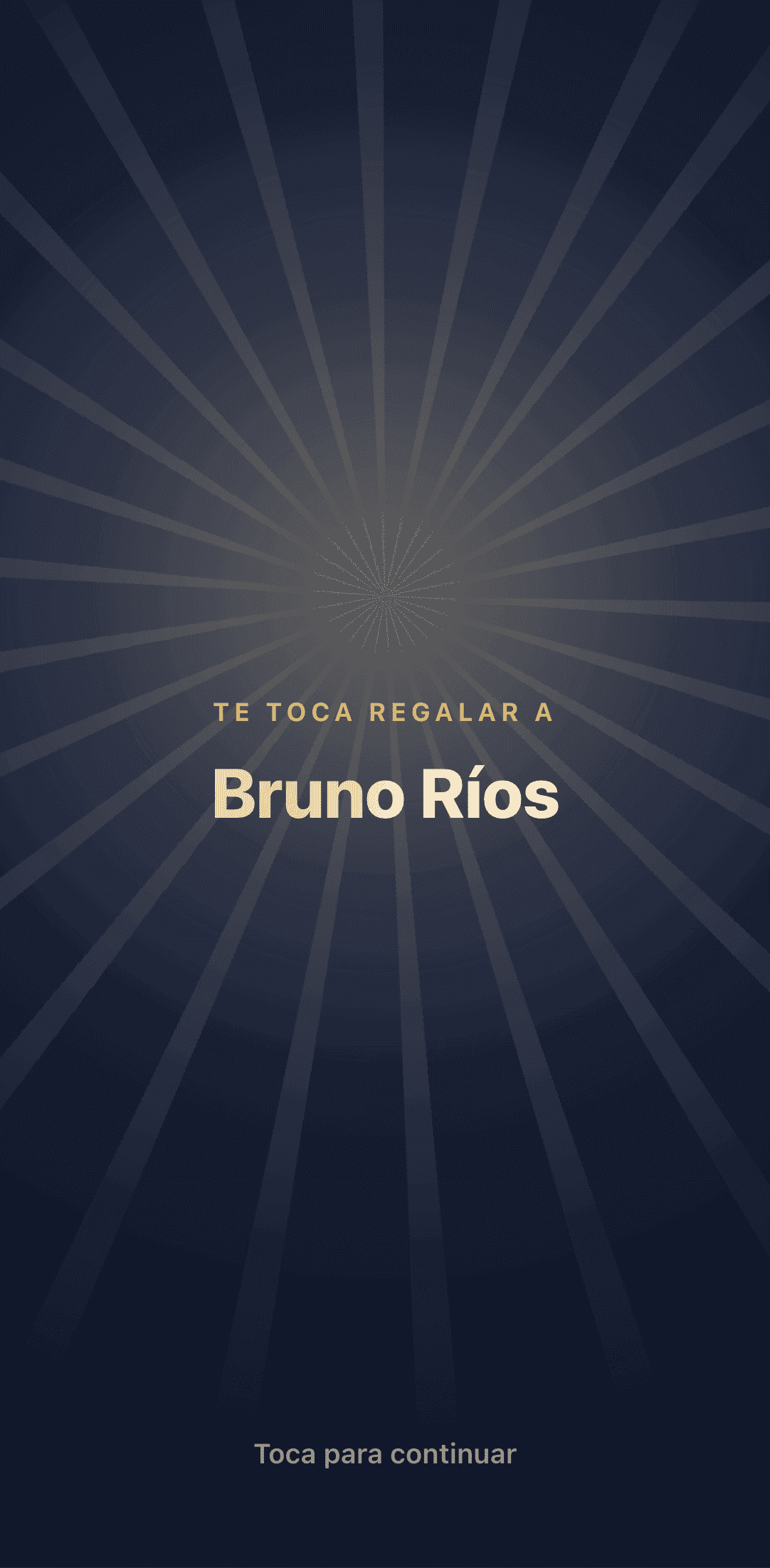
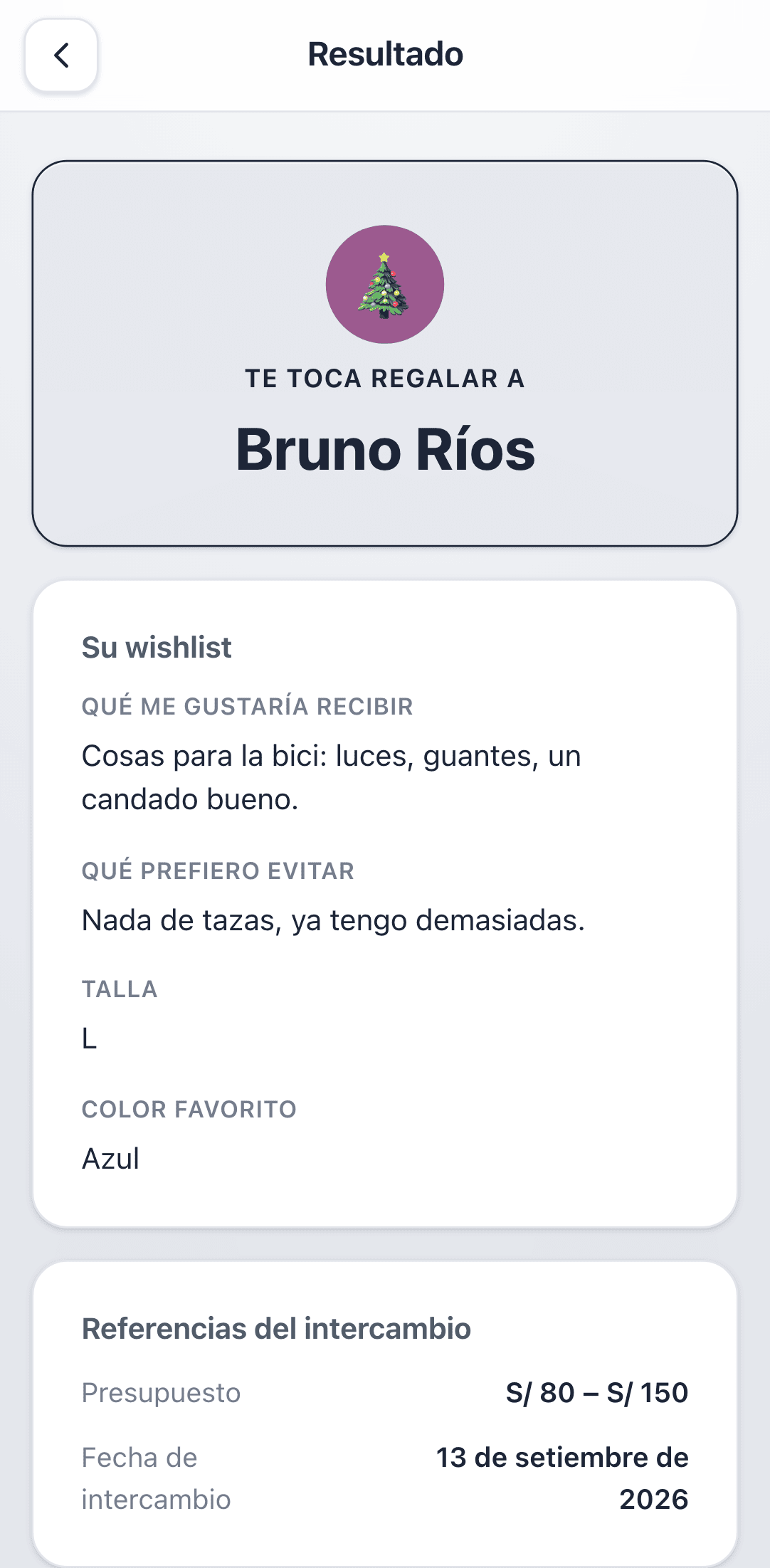
You can return to this screen as often as you want. The reveal isn't "spent": the tap exists so nobody can read your result over your shoulder.
Checking the draw was fair
Nobody being able to see the full map has an awkward consequence: you can't eyeball whether the draw came out right either. So Creto publishes an audit that confirms it was valid without revealing anyone.
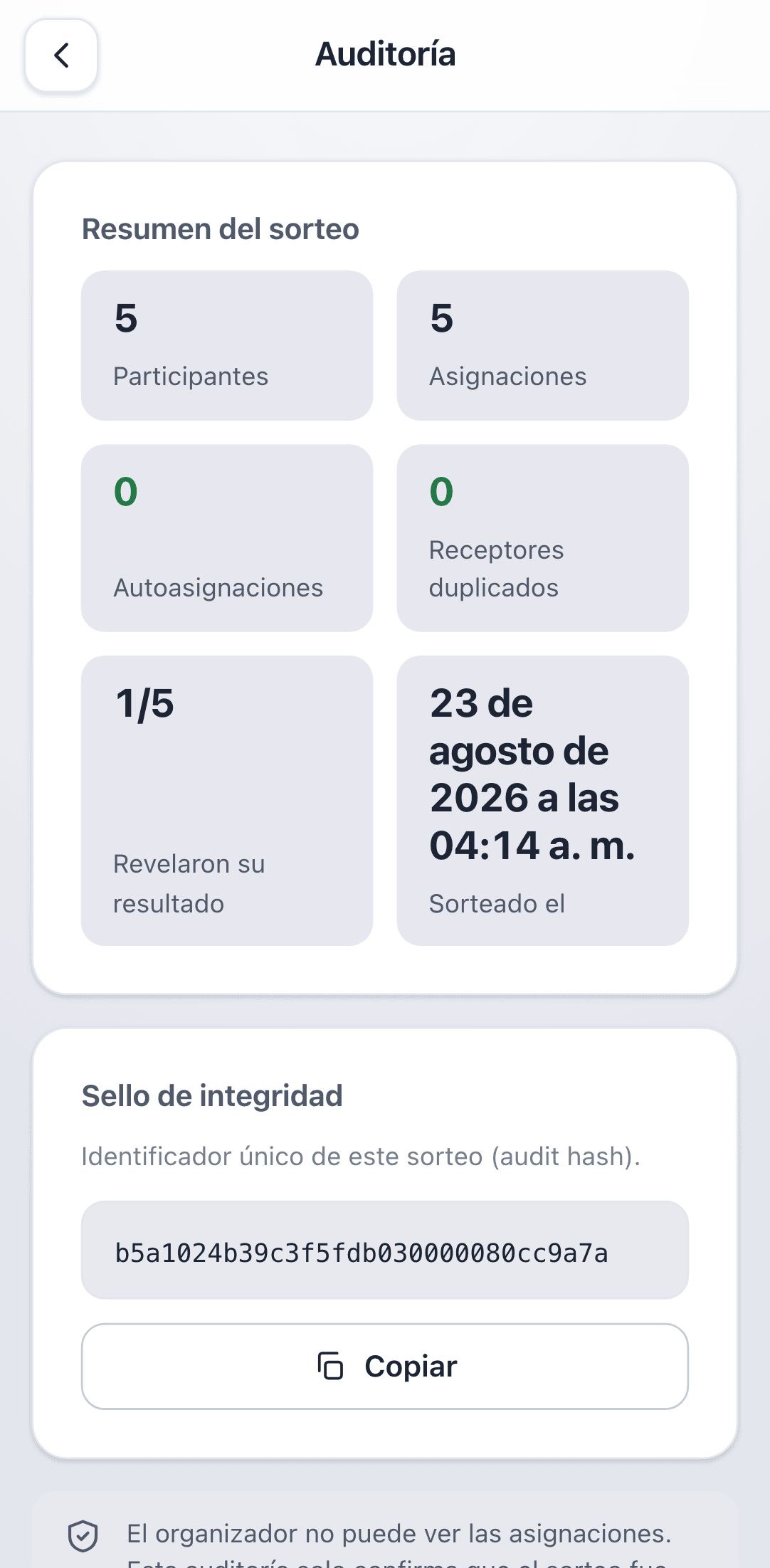
| Figure | What it means |
|---|---|
| Participants / Assignments | Must match: everyone received someone |
| Self-assignments | Must be 0 — nobody got themselves |
| Duplicate receivers | Must be 0 — nobody was picked twice |
| Revealed their result | How many people have opened their gift |
| Integrity seal | A unique identifier for this draw, to cite if anything is disputed |
The audit is visible to the organizer. Even so, they still can't see who gives to whom — only the totals.
Confirming you handed over your gift
On exchange day, once you've handed your gift over, go to the Jugar tab and tap Ya entregué mi regalo.
It isn't busywork: the organizer sees how many deliveries are confirmed, and so knows when the exchange has actually finished. That's the cue to open the full results.
You can untick it if you tapped by mistake. Confirming delivery reveals nothing and doesn't change your assignment.
Opening the full map at the end
Once the exchange is over, half the fun is finding out who gave to whom. The organizer can open that for the whole group from Administrar.
After that, anyone in the group can tap Ver resultados and see the complete list of pairs. Before that, the screen reads Aún sin revelar (not revealed yet).
Opening the results is irreversible. The app confirms with «Se mostrará a TODOS quién le regaló a quién. Es irreversible» — it will be shown to everyone. Do it after the exchange has happened; earlier and you spoil the surprise for the whole group.
Managing the group
On the Administrar tab, the Administración section gathers everything the organizer can do.
| Action | What it does | Undoable? |
|---|---|---|
| Cerrar inscripciones | Stops accepting people, without drawing yet | Yes — you can reopen |
| Editar grupo | Changes name, date, budget and capacity | Yes |
| Realizar sorteo | Assigns everyone | No |
| Cancelar grupo | Ends the group before the draw | No |
| Remove a participant | Takes them out via the bin icon on their row | They can rejoin while the group is open |
Capacity can't go below the number of people already in. If you need it lower, remove someone first.
Changing the exchange date
Dates move. While the group hasn't been drawn, change the date from Editar grupo. After the draw, the organizer adjusts it from the Día del intercambio card on Administrar.
The new date is shown to the whole group, and it also moves any reminders your phone had already scheduled.
Reminders
Creto reminds you about two things, and your own phone schedules them: there is no server sending notifications and no identifier stored to reach you.
- ·The draw happened — when the app notices your group has been drawn, it nudges you a minute later so you can go find out who you got.
- ·The exchange is tomorrow — the day before, at 9am, so it doesn't catch you out.
The first time there's something to remind you about, Android asks permission to send notifications. Decline it and the app still works exactly the same — it just won't nudge you.
Because reminders are scheduled by your phone, the draw nudge needs the app to have been opened at some point after the draw happened. The exchange reminder has no such caveat: it's computed from a date your device already knows.
Your avatar
In Perfil you can pick a colour and an emoji to represent you. It's your identity across Creto: it looks the same in every group, so people recognise you at a glance in the participant list.
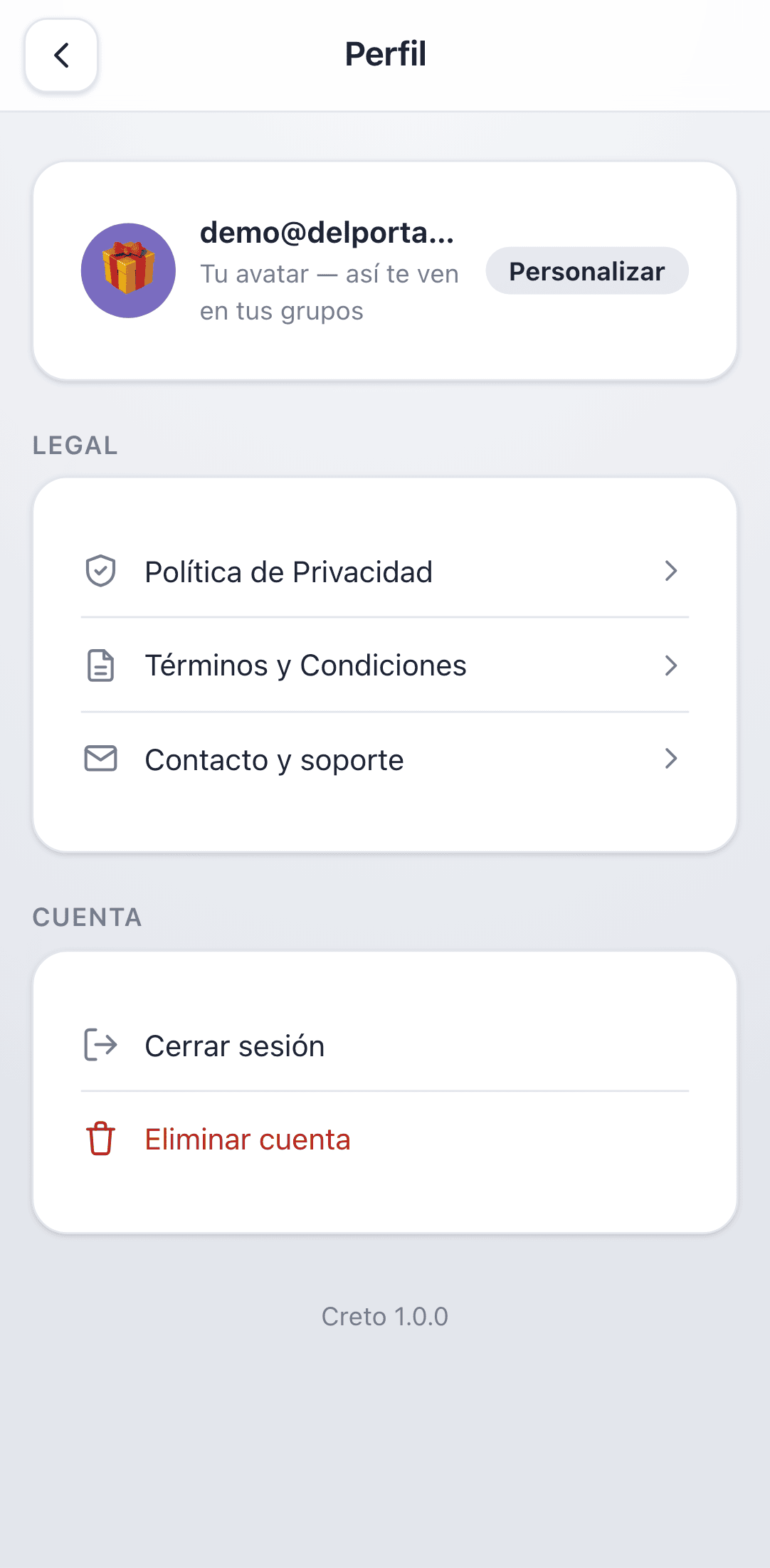
- 1Open Perfil from the icon at the top right of Home.
- 2Tap Personalizar.
- 3Pick a colour and an emoji, and save.
What Creto knows about you
The minimum the app needs: your email, the name you want to appear as, and whatever you type (group names and wishlists).
- ·No location, camera, microphone, photos or contacts.
- ·No advertising and no tracking SDKs.
- ·No device identifier is stored: reminders are scheduled by your own phone.
- ·Crash reports are used only to fix bugs, and don't carry your identity.
On the secrecy of the draw: each person can only read their own assignment. Not even the organizer can query the full map before opening it for everyone. That's enforced in the database, not on the screen.
The full detail is in the Privacy Policy, reachable from Perfil → Política de Privacidad.
Signing out and deleting your account
Both live in Perfil, under Cuenta.
- ·Cerrar sesión — signs you out on this phone. Your groups and account stay intact.
- ·Eliminar cuenta — permanently deletes your account and all your data.
Deleting your account also deletes the groups you organize, along with their participants, wishlists and draws. If you're running an exchange that's still under way, tell people first: for them it disappears entirely.
Deletion can't be undone, and you don't have to email anyone: it happens inside the app, immediately.
If something goes wrong
| What you see | What's happening | What to do |
|---|---|---|
| The invitation code doesn't work | The group is full, sign-ups closed, or it was already drawn | Ask the organizer to reopen sign-ups |
| No Realizar sorteo button | Not enough participants: 3 are required | Invite more people |
| I can't edit my wishlist | The group has been drawn and wishlists are frozen | Nothing to do; next time, write it before the draw |
| Aún sin revelar on Results | The organizer hasn't opened the full map yet | Wait until they do, after the exchange |
| The confirmation email never arrived | It may be in spam | Check your spam folder; if it isn't there, try again in a few minutes |
| I get no reminders | Notification permission is denied | Turn it on in your system settings, under Creto |
Support and contact
Stuck? Write to us and a human will answer. Tell us what you were trying to do and what happened — and, if you can, which screen you were on.
For privacy matters or your personal data: legal@delportaltechnologies.com.
Need a hand?
Write to us and a human will answer — tell us what you tried and what happened.